- Platform
- Shopify
Shopify Payments payouts and pending payments explained
When does Shopify Payments pay you? Payout schedule in Belgium and the Netherlands, what pending and on hold mean, refunds, negative balances and bookkeeping.

By Arthur LauwersFounder
Sees the whole floor. Calls the play, picks the shot, keeps the scoreboard honest.
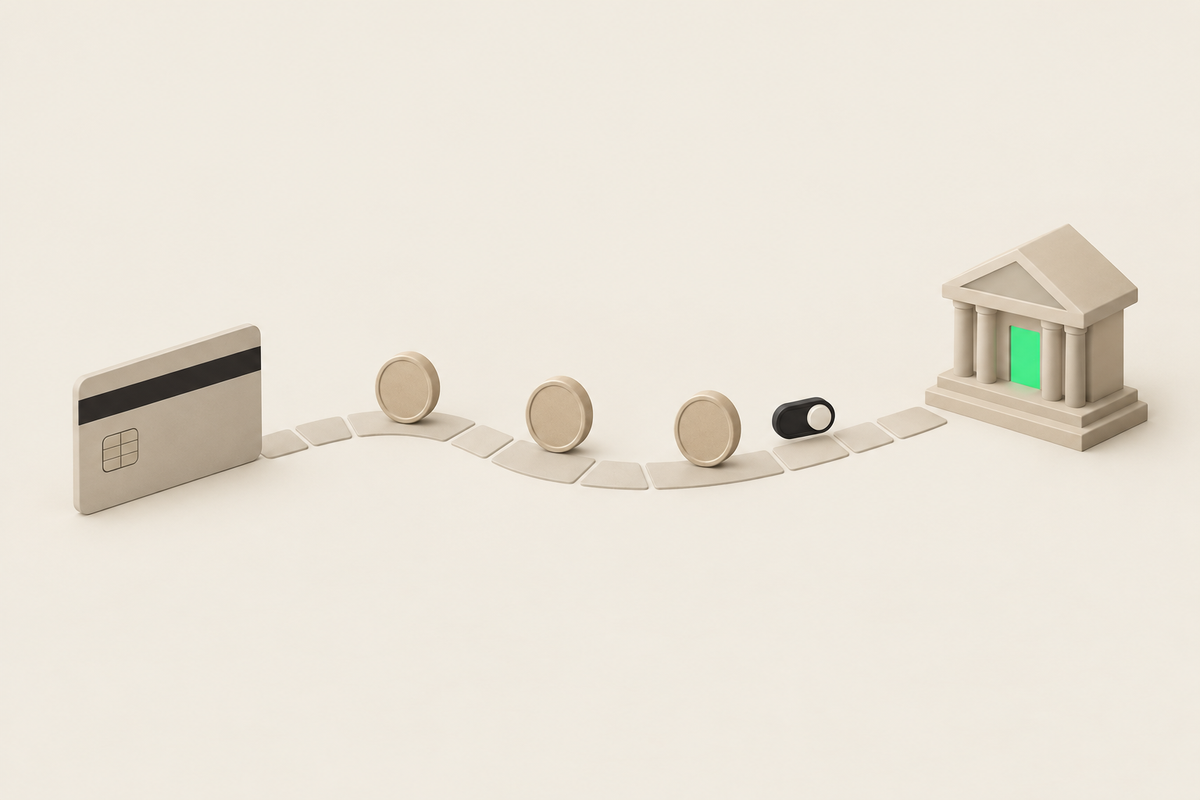
Shopify Payments sends your revenue to your bank account in a payout. In Belgium and the Netherlands there are at least 3 business days between the payment and the payout, and payments from Friday, Saturday and Sunday arrive in one deposit. A payment shows as pending until it is part of a payout, or when Shopify temporarily holds your payouts for a review, a reserve or a negative balance.
This article is part of our guide to Shopify payments in Belgium and the Netherlands. You read how the payout schedule works, what each status means, why a payout gets stuck and how to match payouts with your bookkeeping. Checked November 2026.
How do Shopify Payments payouts work?
Every payment through Shopify Payments first lands on your Shopify Payments balance. Shopify deducts the transaction fees and deposits the net amount in your business account. So your bank statement never shows the amount of a single order, but a sum of orders minus fees, refunds and any chargebacks.
Three rules apply to Belgian and Dutch stores: at least 3 business days between payment and payout, a minimum of EUR 1 per payout, and weekend payments combined in one payout. New stores can see longer periods at first. Shopify doesn't name a fixed number of days for that.
Choosing a payout schedule: daily, weekly or monthly
You decide how often Shopify pays out. Switching is free and you do it under Settings > Payments > Manage > Payouts.
Daily: the best cash flow, but more lines in your bookkeeping.
Weekly: one deposit on a fixed day, handy if your accountant works per week.
Monthly: few lines, but you wait longer for your money.
Payouts are made in euro. On Advanced and Plus you can also choose another supported currency, useful if you hold an account in Swiss francs or British pounds.
What do the payout statuses mean?
Scheduled: the payout is created and leaves on the scheduled date.
Deposited: Shopify sent the money to your bank. Your bank may still need 1 to 3 business days before it shows on your account.
Failed: the bank rejects the deposit, often because of a wrong IBAN or an account that doesn't accept euro.
Withdrawn: Shopify takes money from your account, for example after a negative balance from refunds or chargebacks.
You also see pending for payments that aren't part of a payout yet. That is normal in the first business days after an order.
Why is my payout pending or on hold?
If a payout is stuck longer than your schedule, it almost always comes down to one of these causes:
Account review. Shopify asks for extra information, such as supplier invoices, company details or proof of delivery. While the review runs, payouts are on hold.
Risk and disputes. Many chargebacks, complaints or high-risk orders can lead to a hold or a reserve. With a reserve, Shopify temporarily keeps part of your money.
New bank account. After a change, Shopify pauses payouts for 3 to 5 business days.
Negative balance. If your refunds and chargebacks exceed your sales in that period, there is nothing to pay out.
What to do: read the banner in your admin and the emails to the store owner, answer Shopify's questions completely in one go, and contact Shopify Support with your case. A review has no fixed timeline.
Refunds, chargebacks and negative balances
A refund comes off your Shopify Payments balance. If that balance is too low, in certain EU countries Shopify collects the difference by SEPA direct debit from your account, outside your normal schedule. Elsewhere Shopify deducts it from upcoming payouts. You don't get the original processing fee back. Read exactly how that works in refunds in Shopify.
With a chargeback, Shopify withholds the disputed amount plus EUR 15. If you win the dispute, you get both back.
Matching payouts with your bookkeeping
Because one payout bundles dozens of orders, fees and refunds, your bank statement never matches your sales invoices one to one. Export the transaction overview per payout in your admin and book the fees separately. Many accounting integrations do this automatically per payout.
If you work with several providers, such as Shopify Payments next to PayPal or Mollie, you get several money flows, each with its own schedule. Take that into account when you consider a second provider. Mollie fees on Shopify shows what such a setup costs.
What we learned in the Shopify Community
Payouts paused despite submitted documents. Problem: a merchant sends invoices, company details and a fulfilment plan, but payouts stay paused for a week. Solution: none; another user confirms there is no fixed review time and points to the banner, the emails and Support. Our take: during a review, deliver everything at once and keep your shipping proof, so you don't get a second round of questions. Source: Shopify Community thread (August 2026).
Refunds stuck because of a payout hold. Problem: a European merchant loses Shopify Payments after many chargebacks, ends up negative and can no longer process refunds. Solution: unresolved; users advise clearing the balance and escalating through Support. Our take: chargebacks are a signal. A clear returns flow and tracking per shipment keep you from getting there. Source: Shopify Community thread (January to May 2026).
How 6th Man helps
At every launch we set up Shopify Payments, choose the payout schedule with you and check the bank details before the first order comes in. Your team gets internal guides, although following up payouts day to day stays your team's job. We build integrations with your bookkeeping as part of a custom Shopify store.
What people ask about this.
At least 3 business days after the payment. Your bank may then need another 1 to 3 business days. Weekend payments arrive in one payout, and new stores sometimes see longer periods at first.
Usually because the payment isn't part of a payout yet. If it takes longer than your schedule, look at an account review, chargebacks or a reserve, a new bank account or a negative balance. The banner in your admin tells you which one applies.
Yes. You choose daily, weekly on a fixed day or monthly, under Settings > Payments > Manage > Payouts. Switching is free.
No. Shopify Payments keeps the original processing fee, also for cards, iDEAL | Wero and Klarna. Include that cost in your returns policy.
We build, migrate and grow Shopify stores.
One team for the build, the move to Shopify and the growth after launch, so nothing gets dropped at a handoff.

Read also
- Platform
- Shopify
- Migration
Shopify Payments fees and rates explained (2026)
What does Shopify Payments cost in Belgium? All rates per plan and payment method, the fee for other providers and worked examples with a Belgian payment mix.
 Arthur Lauwers
- Platform
- Shopify
Refunds in Shopify: how they work
How to issue a (partial) refund in Shopify, what it costs, how long the customer waits and what happens with Bancontact, iDEAL | Wero, Klarna and chargebacks.
Arthur Lauwers
- Platform
- Shopify
How to set up Shopify Payments in Belgium: step by step
Set up Shopify Payments in Belgium: what you need, verification, switching on Bancontact, test mode and a go-live checklist, plus the common pitfalls.
Arthur Lauwers