- Platform
- Shopify
- CRO
Customize the Shopify checkout with Checkout Extensibility
Customize the Shopify checkout with Checkout Extensibility: what works on Basic and what needs Plus, the end of checkout.liquid and Benelux examples.

By Arthur LauwersFounder
Sees the whole floor. Calls the play, picks the shot, keeps the scoreboard honest.
You customize your Shopify checkout with Checkout Extensibility: the checkout editor for logo, colors and fonts, apps with checkout UI extensions for extra blocks and Shopify Functions for logic such as discounts, delivery options and payment methods. On any plan you customize the thank you and order status pages. Custom fields and blocks in the Information, Shipping and Payment steps are Shopify Plus only.
This article is part of our guide to Shopify payments and checkout. You read what you can actually customize in 2026, which plan allows what, what happened to checkout.liquid and which customizations Belgian and Dutch stores ask for most. Checked November 2026.
What is Checkout Extensibility?
Checkout Extensibility is the umbrella term for how you customize the Shopify checkout today. Plus merchants used to edit the checkout.liquid file. That gave a lot of freedom, but every Shopify update could break your changes. Now you work with defined building blocks that Shopify maintains itself.
Checkout editor: logo, background, colors and fonts for the checkout, the thank you page and the order status page. This editor is separate from your theme editor.
Checkout UI extensions: visual blocks that an app places in fixed spots in the checkout, such as an extra field, an upsell or a message.
Shopify Functions: pieces of logic Shopify runs during checkout, for example your own discount rule, hiding a delivery option or a validation that blocks an order.
Web pixels (customer events): the place for tracking scripts, now that additional scripts are gone.
The upside: customizations keep working with one-page checkout, with express checkouts such as Shop Pay and Apple Pay and with new Shopify features. The downside: you work within the limits Shopify sets.
Customize Shopify checkout: what works on which plan?
The biggest question when you customize the Shopify checkout is which plan you need. Shopify's help docs distinguish between "Basic or higher" and Shopify Plus. Grow and Advanced follow the Basic rules.
| Capability | Basic, Grow, Advanced | Plus |
|---|---|---|
| Checkout editor: logo, colors, fonts, background | Yes | Yes |
| Checkout Branding API (finer styling through code) | No | Yes |
| UI extensions on thank you, order status and customer accounts | Yes | Yes |
| UI extensions in Information, Shipping and Payment | No | Yes |
| Public apps with Shopify Functions | Yes | Yes |
| Custom apps with Shopify Functions (built for your store) | No | Yes |
| Hide, rename or reorder payment methods | Yes, through an app | Yes, also through a custom app |
| Customize delivery options | Yes, through an app | Yes, also through a custom app |
| Cart and checkout validation | Yes, through an app | Yes, also through a custom app |
| Payment terms in checkout (B2B) | No | Yes |
| Hide express checkout buttons | No | Yes, through a custom app |
An important nuance: "through an app" means a public app from the Shopify App Store. On Basic to Advanced you can use the same kind of logic as on Plus, as long as an existing app does what you need. If you want logic written for your store, you need Plus. What that plan costs extra is in our overview of all Shopify costs.
Checkout Blocks: the quick route
Checkout Blocks is a free Shopify app that makes UI extensions and Functions available without code. You drag blocks such as text, an image or an upsell into the checkout and set simple rules. On Plus the app works in every step. On the other plans you mainly add blocks to the thank you and order status pages.
checkout.liquid: the phase-out timeline
Still using old customizations in checkout.liquid or in the "additional scripts" field? They no longer work. This is the timeline according to Shopify:
| Date | What | For whom |
|---|---|---|
| 13 February 2023 | Shopify announces the checkout.liquid phase-out | Plus |
| 13 August 2024 | Deadline to upgrade Information, Shipping and Payment | Plus |
| 6 January 2025 | Automatic upgrades start, with an email 30 days ahead | Plus |
| 28 August 2025 | checkout.liquid, additional scripts and script tags disappear on thank you and order status pages | Plus |
| 26 August 2026 | Script tags, additional scripts and checkout.liquid disappear on thank you and order status pages, stores are upgraded automatically | Basic, Grow, Advanced |
What does that mean in practice? Anything that sat on the thank you page through additional scripts, such as conversion tags, affiliate pixels or a discount code for the next order, is gone unless it was moved. Tracking now belongs in web pixels or in a server-side tracking setup. Visible elements such as a survey or upsell are replaced by an app with an app block.
What can't you customize?
Checkout Extensibility sets limits. You can't do these things, not even on Plus:
Free HTML, CSS or JavaScript in the checkout. Styling runs through the editor or the Checkout Branding API. Extensions use fixed Shopify components.
Remove required fields or change the basic order. You can hide optional fields such as company name or a second address line, or make them required, in the checkout settings.
Build your own payment integration in the checkout. Only approved partners may build payment apps.
Stack unlimited payment rules. A store can have at most 25 payment customization functions.
Show a post-purchase upsell to every buyer. The separate post-purchase page is still in beta and only appears after a card payment. Customers paying with Bancontact, iDEAL | Wero, Klarna, Apple Pay or Google Pay don't see it. In the Benelux a block on the thank you page is often the better spot.
On Basic to Advanced you also can't add custom fields or blocks in Information, Shipping and Payment, or custom Functions. Much of that you solve in the cart, which sits fully in your theme.
Common customizations for Belgian and Dutch stores
VAT number for business customers
If you sell to businesses, you want a VAT number on the invoice. On Plus you add a field in the Information step with a checkout UI extension and check the format with a validation Function. On the other plans you ask for it in the customer account or the cart. A VIES check helps, but it doesn't solve everything: a customer can enter any valid VAT number, including another company's. If you really sell B2B with price lists and payment terms, look at Shopify B2B for wholesalers.
Choosing a delivery date or time slot
For flowers, meals or large deliveries the customer wants to pick a date. On Plus that works with an extension in the Shipping step. Without Plus you put the date picker in the cart with an app and save the choice as a cart attribute, so it shows on the order. Check that express checkouts don't skip the cart: a customer paying with Apple Pay from the product page never sees your date picker.
Gift message or gift wrapping
Without Plus, ask for a message in the cart as an order note or attribute. Gift wrapping works well as a separate product offered through an upsell block. On Plus you can put both in the checkout itself.
Pickup points from bpost, PostNL or DHL
Pickup points are standard in Belgium and the Netherlands. You usually add them through a shipping app that connects to the carriers. Pickup in your own store (local pickup) is built into Shopify.
Showing payment methods smartly
With a payment customization app you can, for example, put Bancontact first for Belgian customers, hide buy now, pay later above a certain amount or hide a method for B2B customers. That works on any plan through an app. Which methods you need and what they cost is in the best payment provider for Shopify.
Upsell or survey on the thank you page
The thank you page can be customized with app blocks on any plan. An upsell to a related product, a short survey on how the customer found you or a link to customer service: these are the lowest-risk customizations, because the order is already in.
How to build a checkout customization
Take inventory. List every current customization: apps, old scripts, tracking, manual workarounds. Check which still work after the upgrade.
Choose app or custom build. If a reliable app does it, that's usually the cheapest route. A custom build pays off when your logic is unique or several apps get in each other's way.
Build. A developer creates an app with the Shopify CLI. UI extensions use Shopify's components, Functions run as WebAssembly inside Shopify.
Test. Test in a development store and in the checkout editor preview, on desktop and mobile, with every payment method and with express checkouts.
Go live and follow up. Activate the extension in the checkout editor and watch your checkout conversion rate for the first weeks.
Every customization should make your checkout faster or clearer. Add fields and you may lose buyers. If you build a headless frontend, we recommend the Shopify checkout there too. Why is explained in headless Shopify or Liquid.
What we learned in the Shopify Community
Real merchant questions, summarized. Not 6th Man cases: this is what others ran into.
VAT number field in checkout. Problem: a merchant wants an optional VAT number field under the company details. Solution: on Plus through checkout UI extensions, without Plus ask for the field in the customer account. The poster didn't confirm a choice. Source: Shopify Community, February 2025.
Picking a delivery date in checkout. Problem: a merchant shipping with DHL and DPD wants customers to choose a delivery date. Solution: in the checkout itself that only works on Plus, without Plus with a date picker app in the cart. Source: Shopify Community, December 2024.
Discount code from additional scripts. Problem: a merchant showed a welcome discount on the thank you page through additional scripts and wanted to copy that code into custom pixels. Solution: that doesn't work, custom pixels are for tracking only and show nothing on the page. Visible elements are replaced by an app block. Source: Shopify Community, November 2024.
Widgets gone after 26 August 2026. Problem: on stores without Plus, upsells, surveys and widgets disappeared from the thank you page. Solution: in Settings > Checkout > Customize, set the page picker to the thank you page and add the app block. If the app isn't in the list, it hasn't been rebuilt and you need an alternative. Source: Shopify Community, August 2026.
How 6th Man helps
We build custom checkout UI extensions and Shopify Functions, from a VAT field with validation to discount and delivery rules no app can handle. We start with an inventory of what your checkout does today and tell you honestly when an existing app is enough. If a custom build is needed, we build and test it as part of our custom Shopify development.
What people ask about this.
Yes, partly. On any plan you change the branding in the checkout editor, add app blocks to the thank you and order status pages and use public apps with Shopify Functions for discounts, delivery options, payment methods and validation. Custom fields and blocks in Information, Shipping and Payment need Plus.
UI extensions decide what the customer sees: a field, a block, a message. Functions decide what happens behind the scenes: which discount applies, which delivery or payment options show and whether the order may go through.
No. It is no longer supported for Information, Shipping and Payment. On the thank you and order status pages it disappeared on 28 August 2025 for Plus and on 26 August 2026 for the other plans.
On Plus, yes, with a checkout UI extension in the Information or Shipping step. On other plans you ask for the information in the cart or the customer account, or after the purchase on the thank you page.
Only on Plus, with a custom app that uses the Payment Customization API. Shopify warns that this can lower your conversion.
We build, migrate and grow Shopify stores.
One team for the build, the move to Shopify and the growth after launch, so nothing gets dropped at a handoff.

Read also
- Platform
- Shopify
How to set up Shopify Payments in Belgium: step by step
Set up Shopify Payments in Belgium: what you need, verification, switching on Bancontact, test mode and a go-live checklist, plus the common pitfalls.
 Arthur Lauwers
- Platform
- Shopify
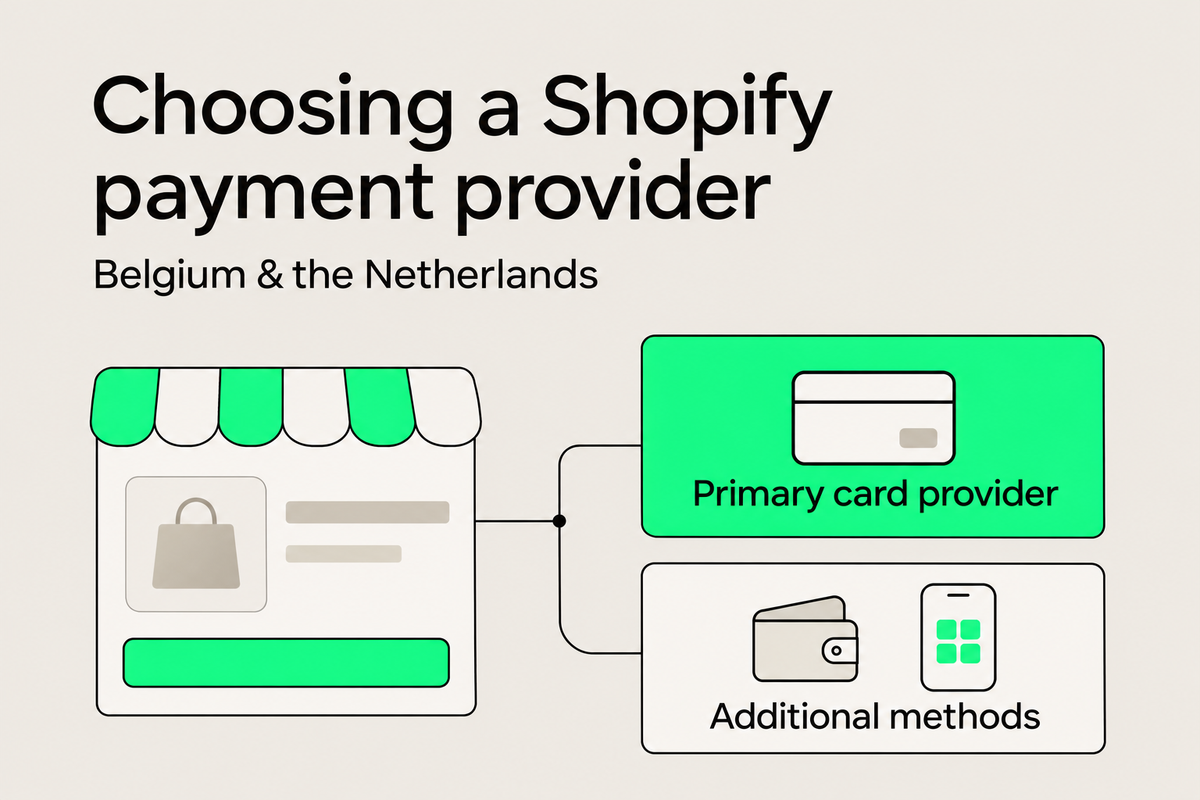
Best payment provider for Shopify in Belgium and the Netherlands
Best payment provider for Shopify in Belgium and the Netherlands: Shopify Payments, PayPal, Mollie, Adyen and more, with costs, exceptions and a decision tree.
Arthur Lauwers